This article shows how to setup the template for a new Enterprise group to enable Residents to create limited-use Guest codes for their units without having visibility to Enterprise codes on the lock.
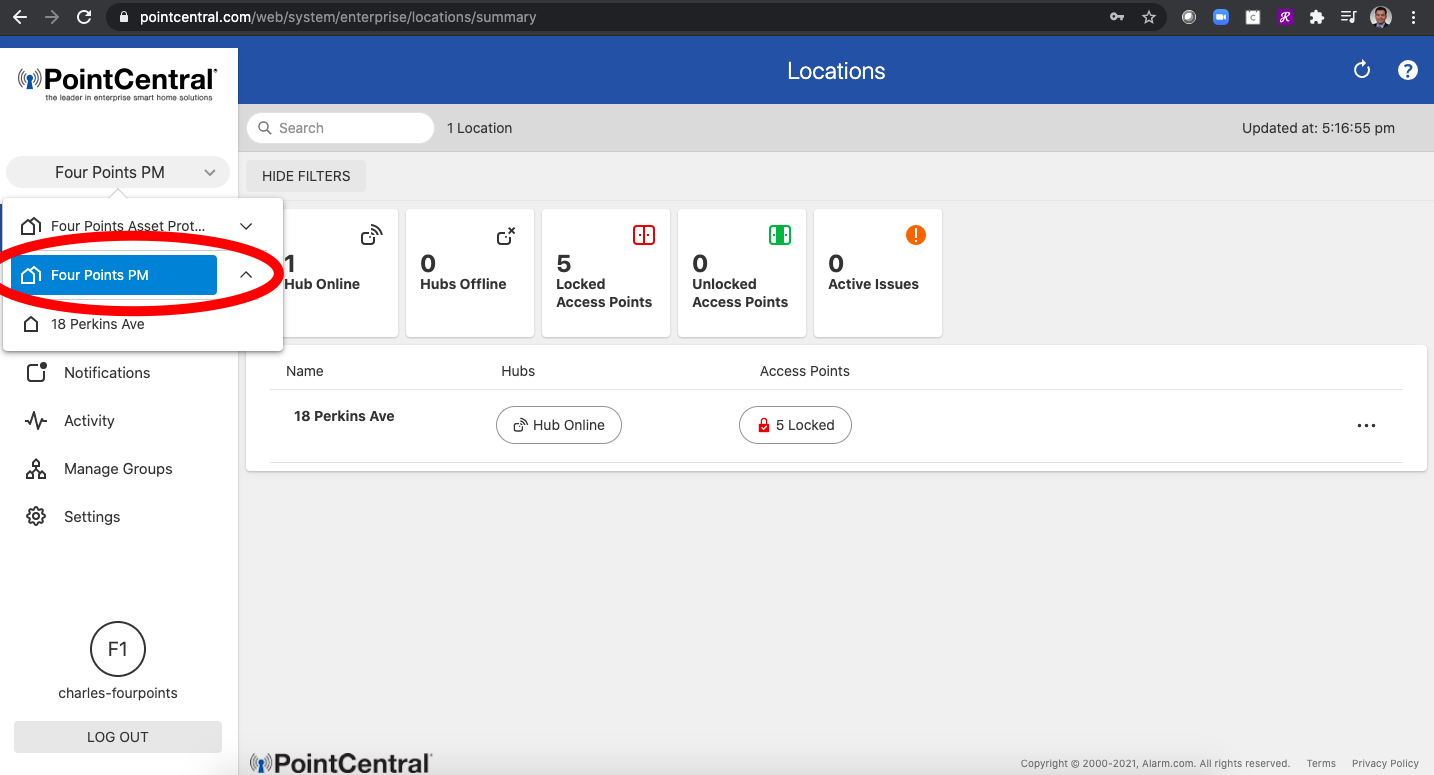
1. Login to PointCentral.com and ensure you are at the Group level (note the Two Houses side by side - this indicates Group, vs the Individual unit below it)
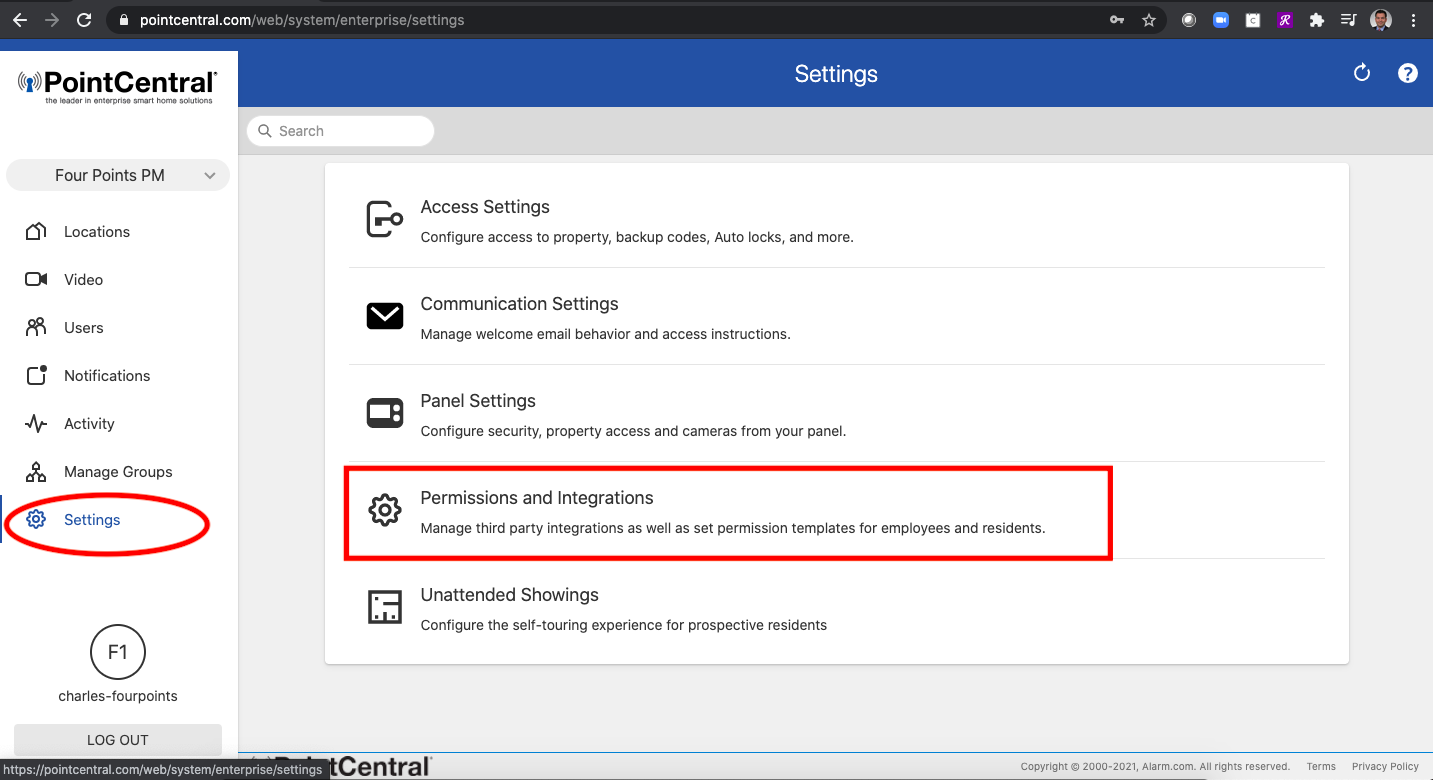
2. Click on "Settings" then on "Permissions and Integrations"
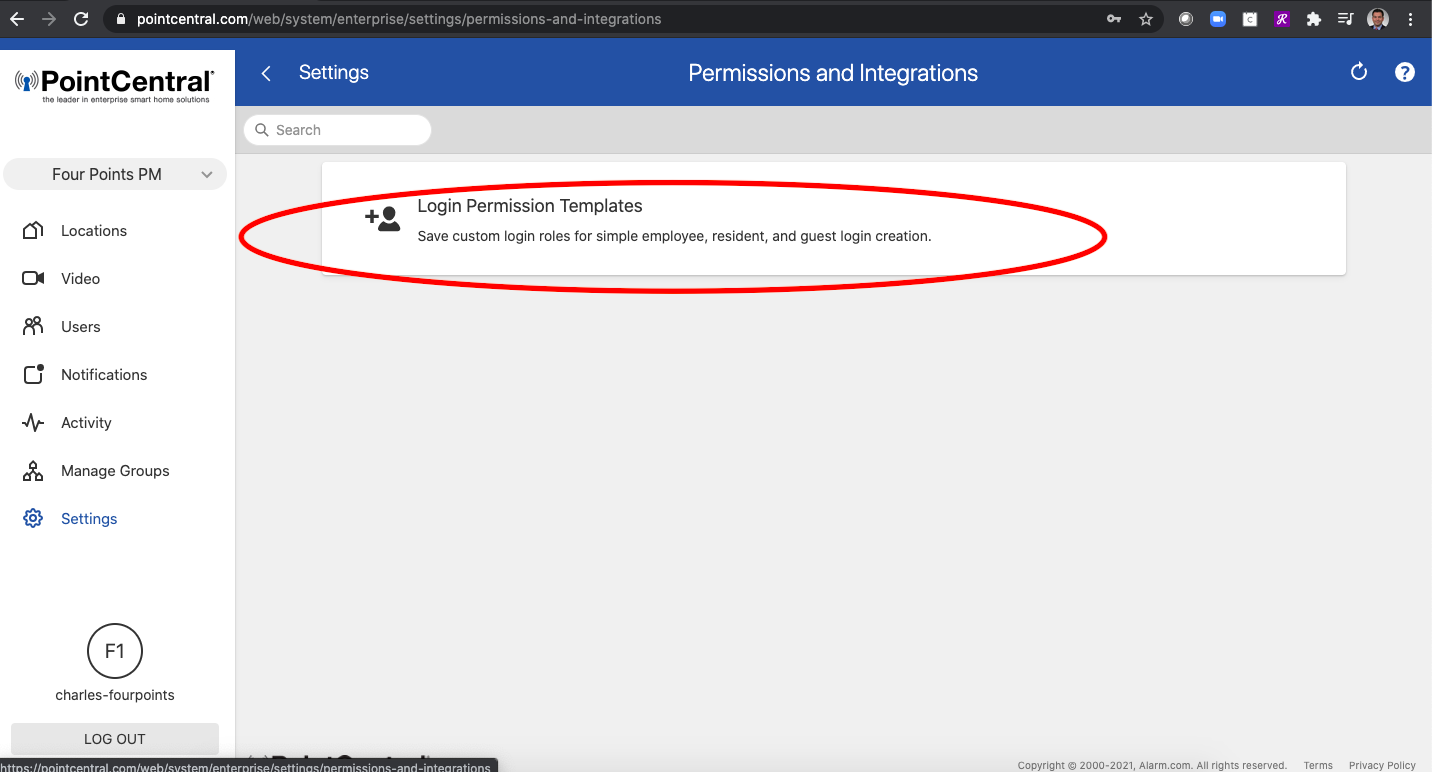
3. Click on "Login Permission Templates"
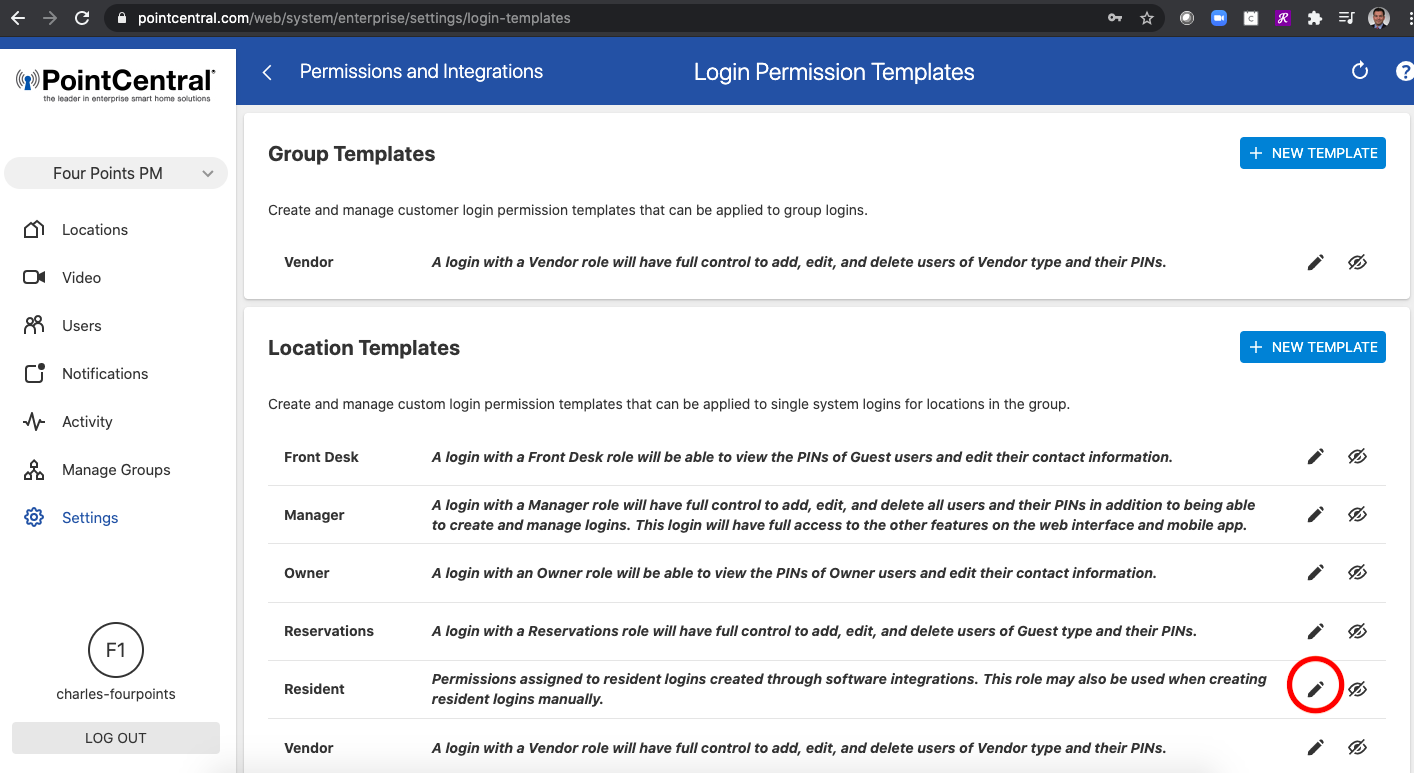
4. Click "Edit" Icon on the Resident Location Template
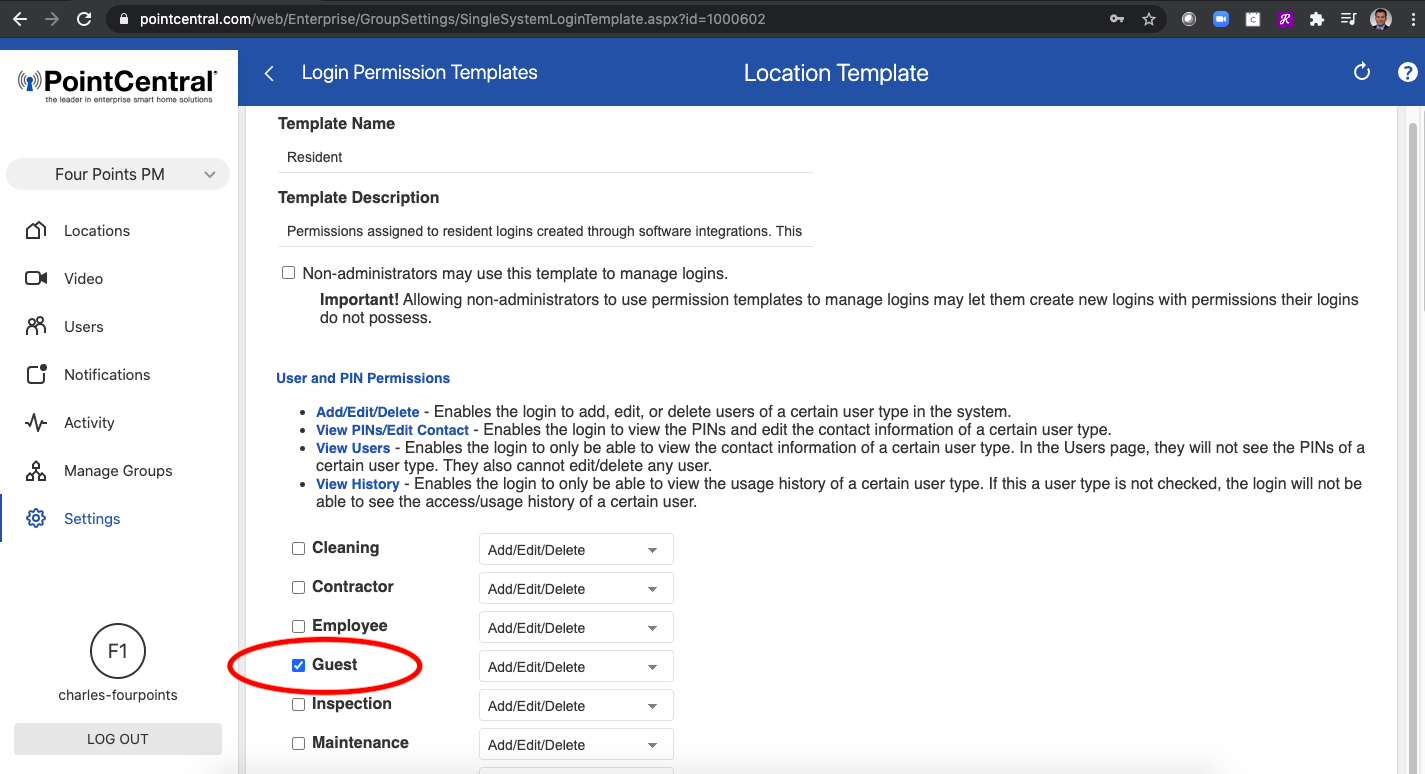
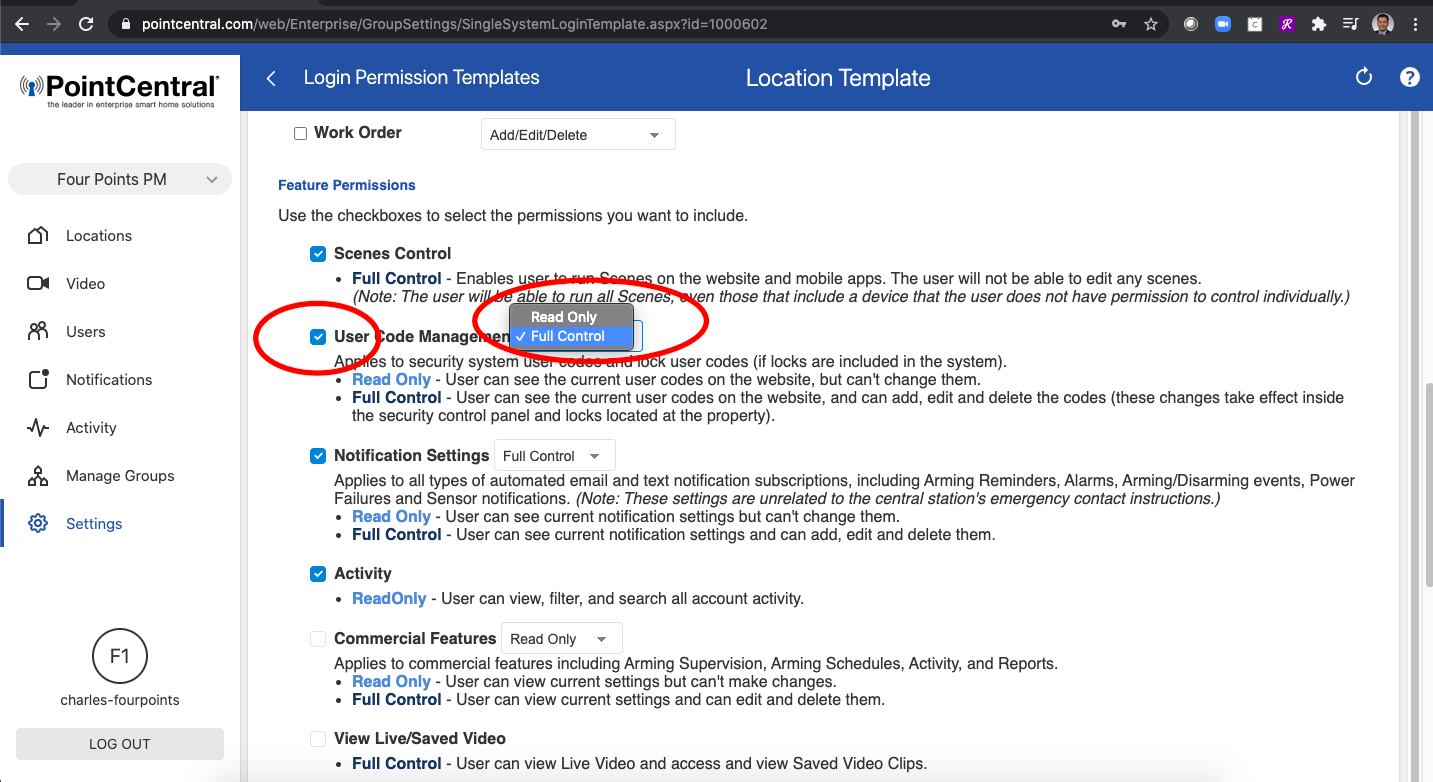
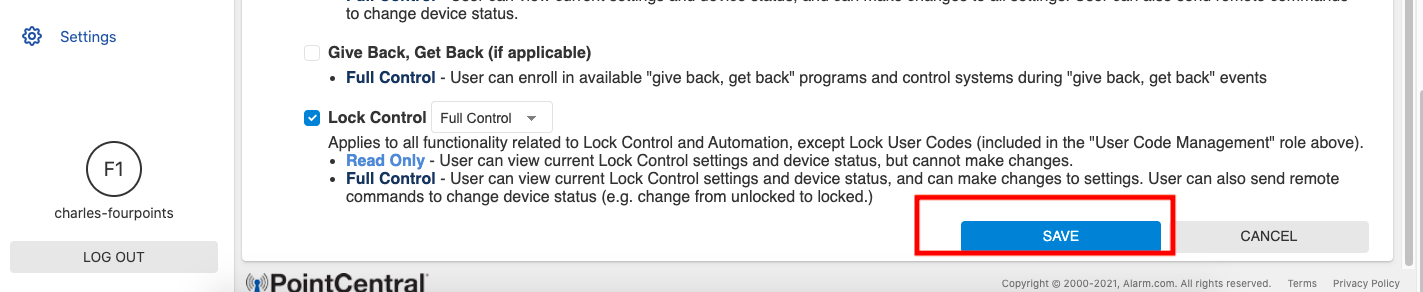
5. Select "Guest", then check "User Code Management" then select "Full Control", then click "Save" at bottom.
This will enable Residents to create Guest codes through their assigned login on the App or Website.