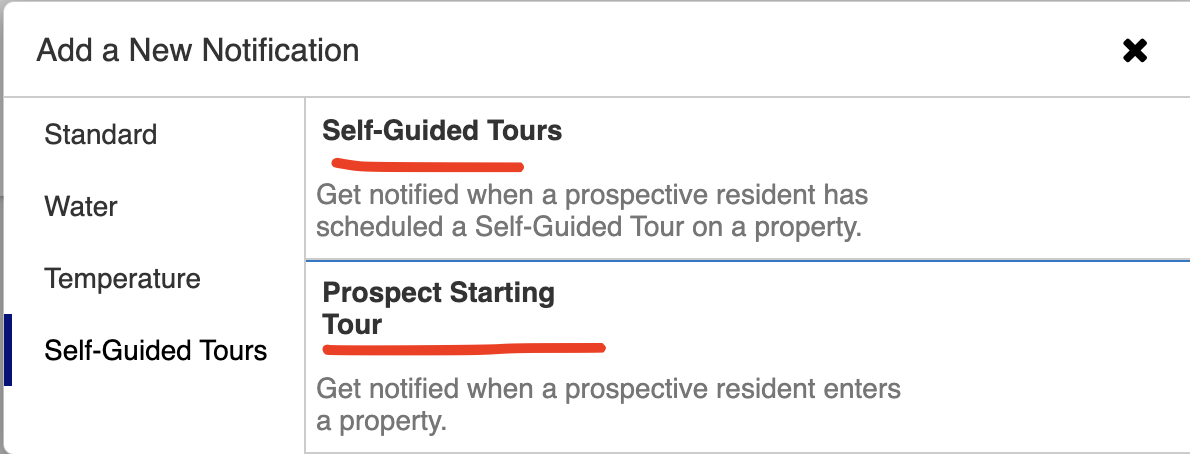
This article explains how to setup alerts for 1) when a self-guided tour is BOOKED, and 2)when a prospect starts a self-guided tour.
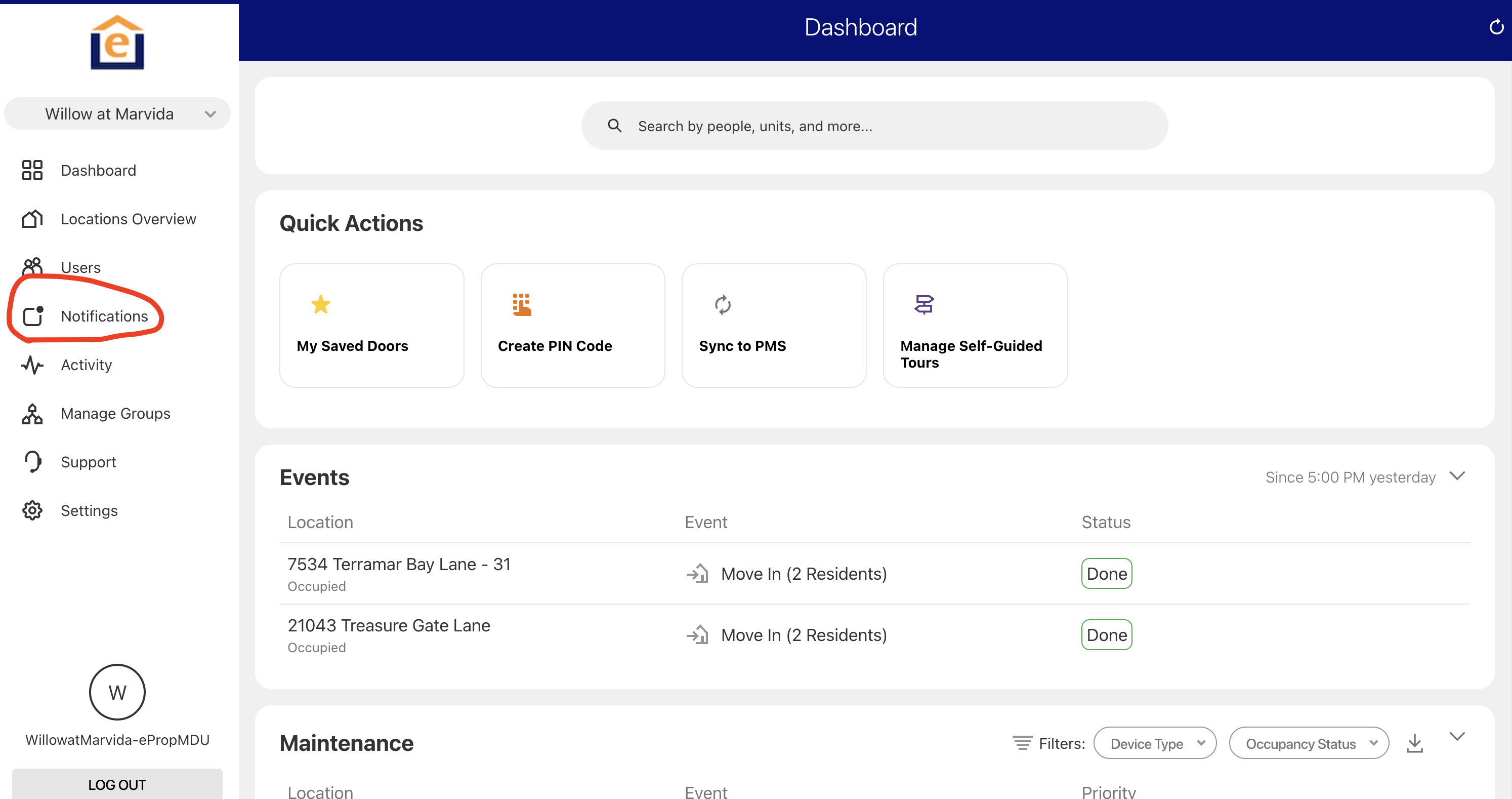
1. From the main dashboard click click "Notifications" in left menu
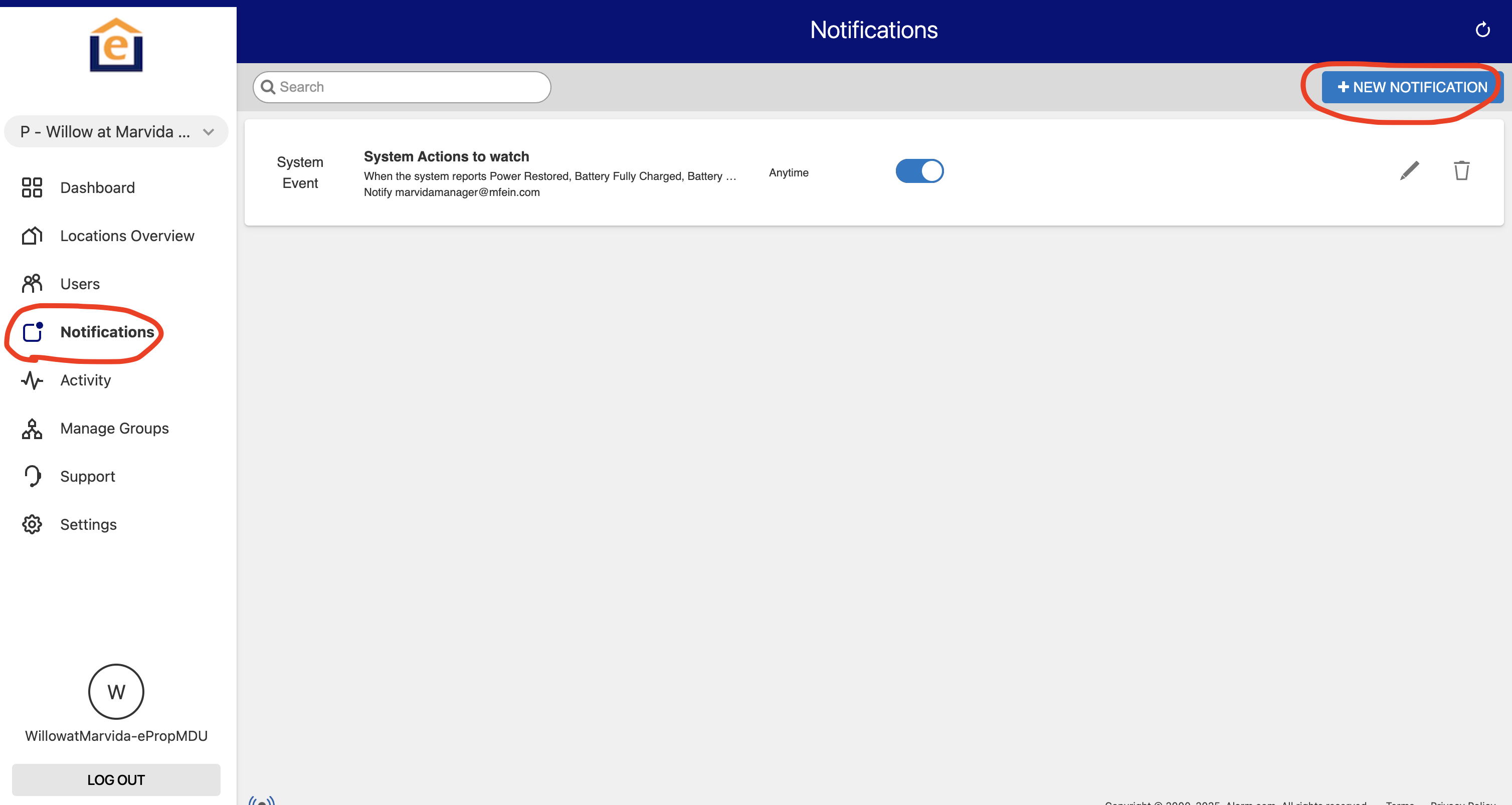
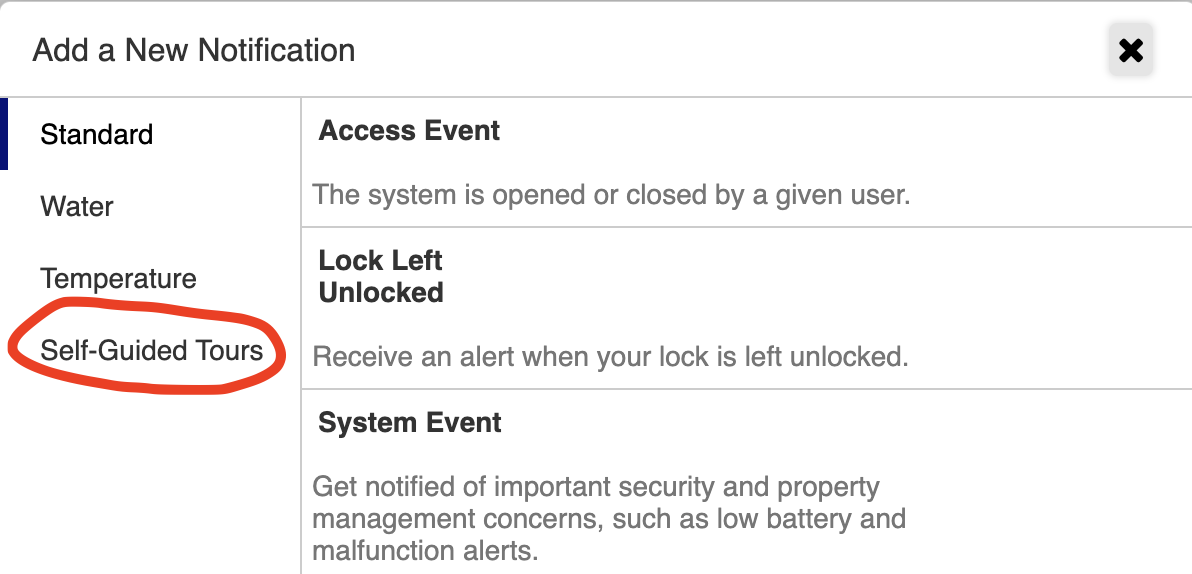
2. Then click "New Notification" in the top right, and select "Self-Guided Tours" from the menu
3. Then click "self-guided tours" to create a notification for when a tour is booked, or click "prospect starting" to get an alert when the prospect uses their code at the property.