This article explains the options for restoring resident user PIN codes after a lock is changed. This process is needed for ALL lock swaps of units that contain resident profiles.
When a lock is added to a unit, the all-access existing+future enterprise codes automatically push to the lock. Resident codes do not.
Option 1 - do manually
1) Search for the resident in the "Users" section of the website (or from the search bar in the dashboard).
2) Click "Locations" button in the middle of the screen, then navigate to the Occupied group, then find the unit the resident needs to be added to (or search for the unit with the search bar to jump right to it)
3) Add resident to the new lock, then save. It will take ~5mins for the code to sync to the new lock.
Option 2: User Restore Users function
This can be done from website or mobile website on cell phone if maintenance manager will be doing the lock swap.
1) Go to the Unit level (not Enterprise level) and click "Users". 2) Click "More" then select "visit old users page"
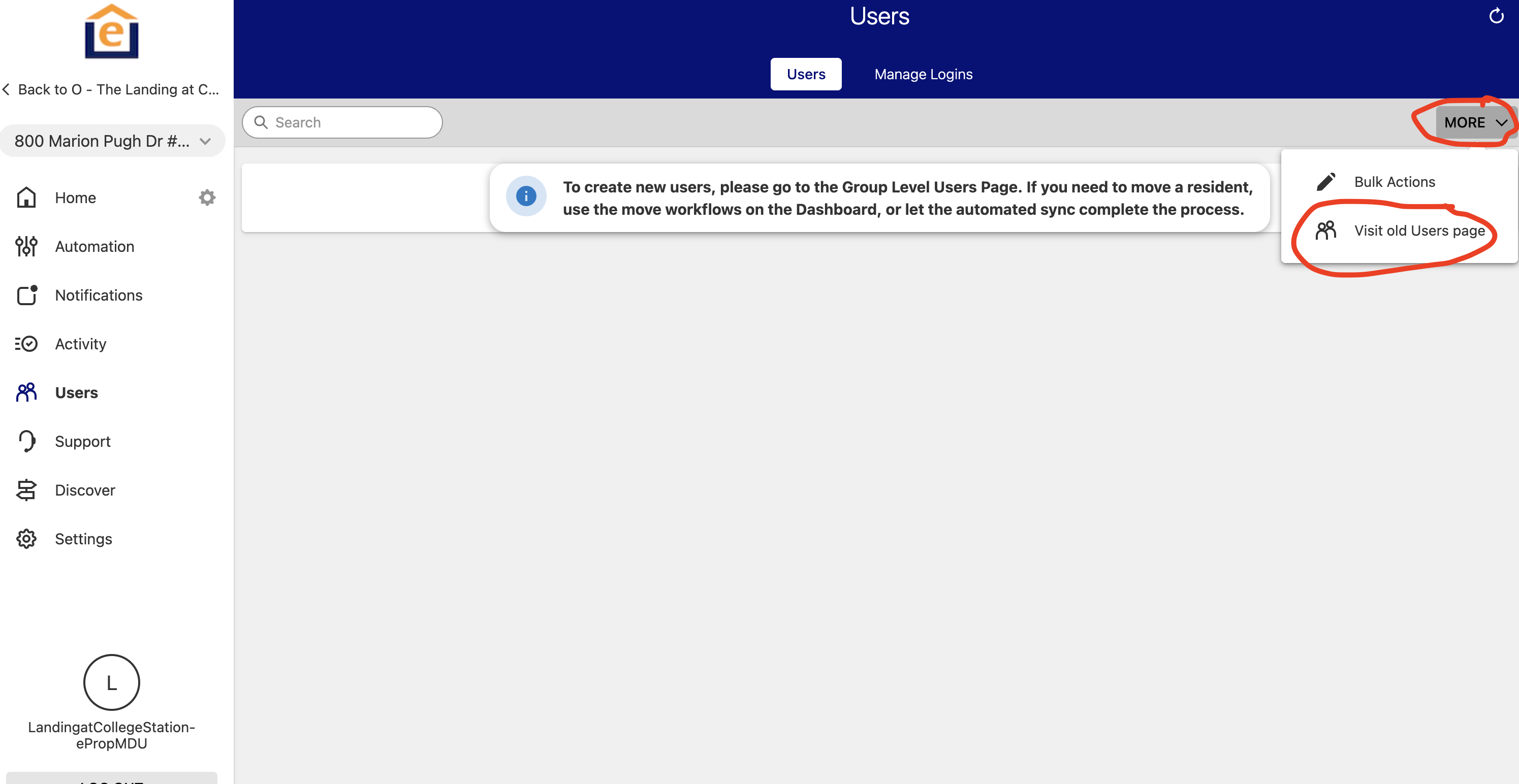
2) If a lock was added within the last 7 days a message will appear
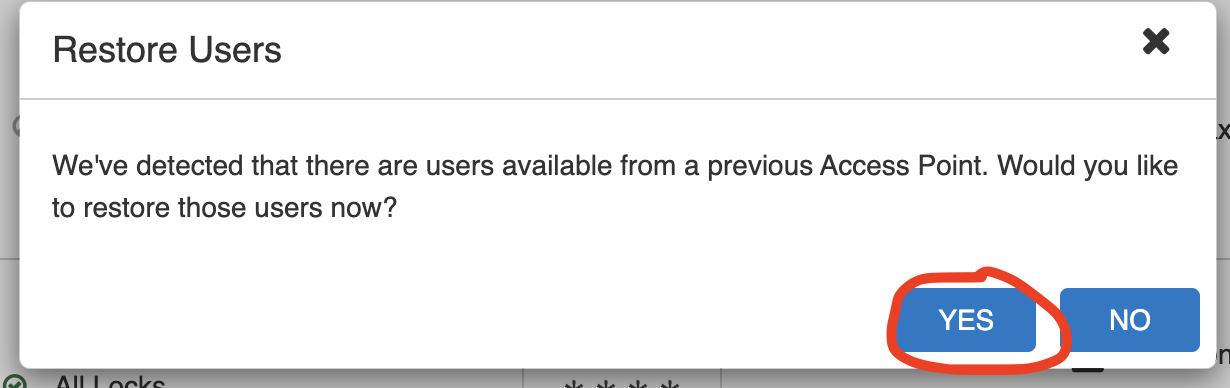
3) Click "Yes" and it will sync the previous non-enterprise codes to the new lock