These instructions show how to add an installed video doorbell to the customer App, when the doorbell is already connected to a common WIFI network. This applies to both the ADC-VDB750 and ADC-VDB775 doorbells.
In the Customer app:
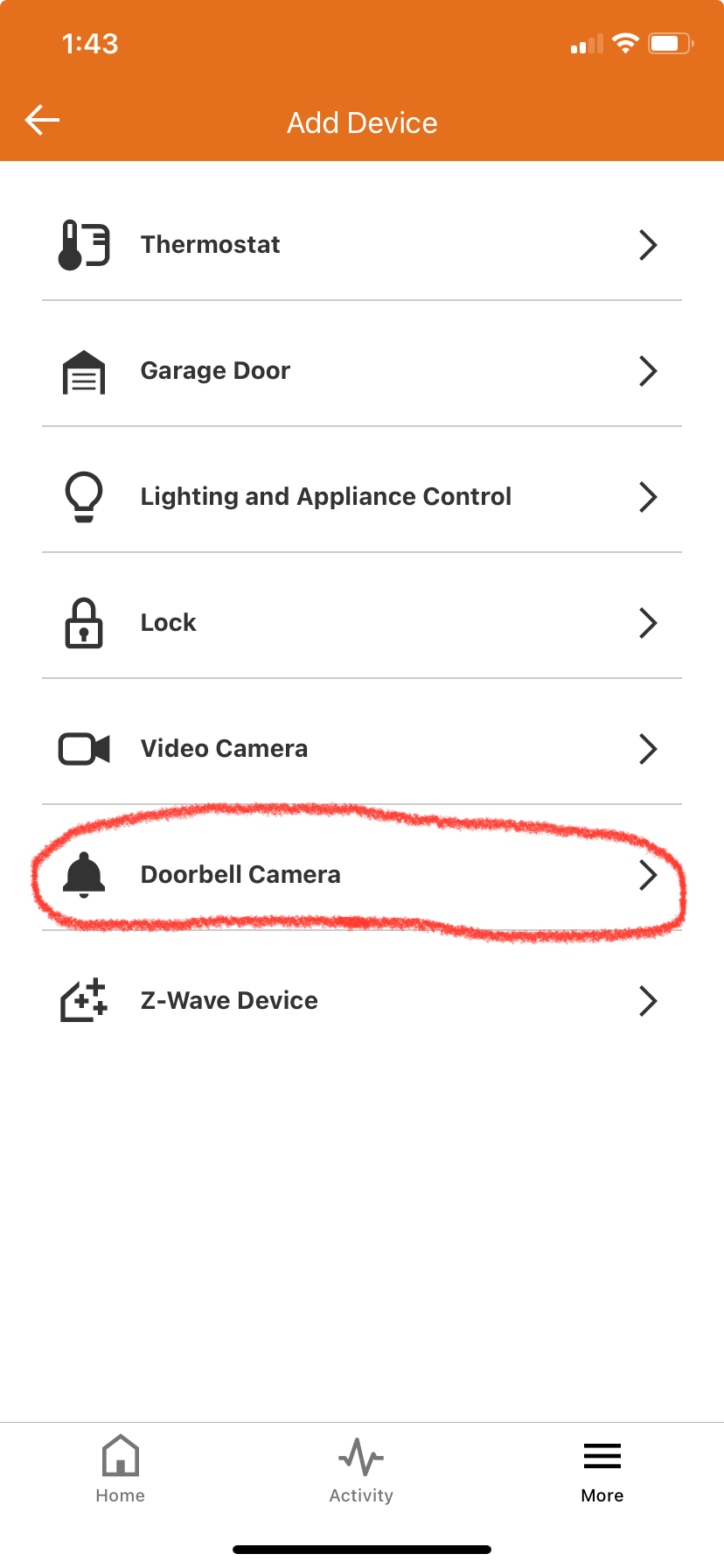
1. Tap  at the bottom menu of the App, then "Add Device" then select "Doorbell Camera"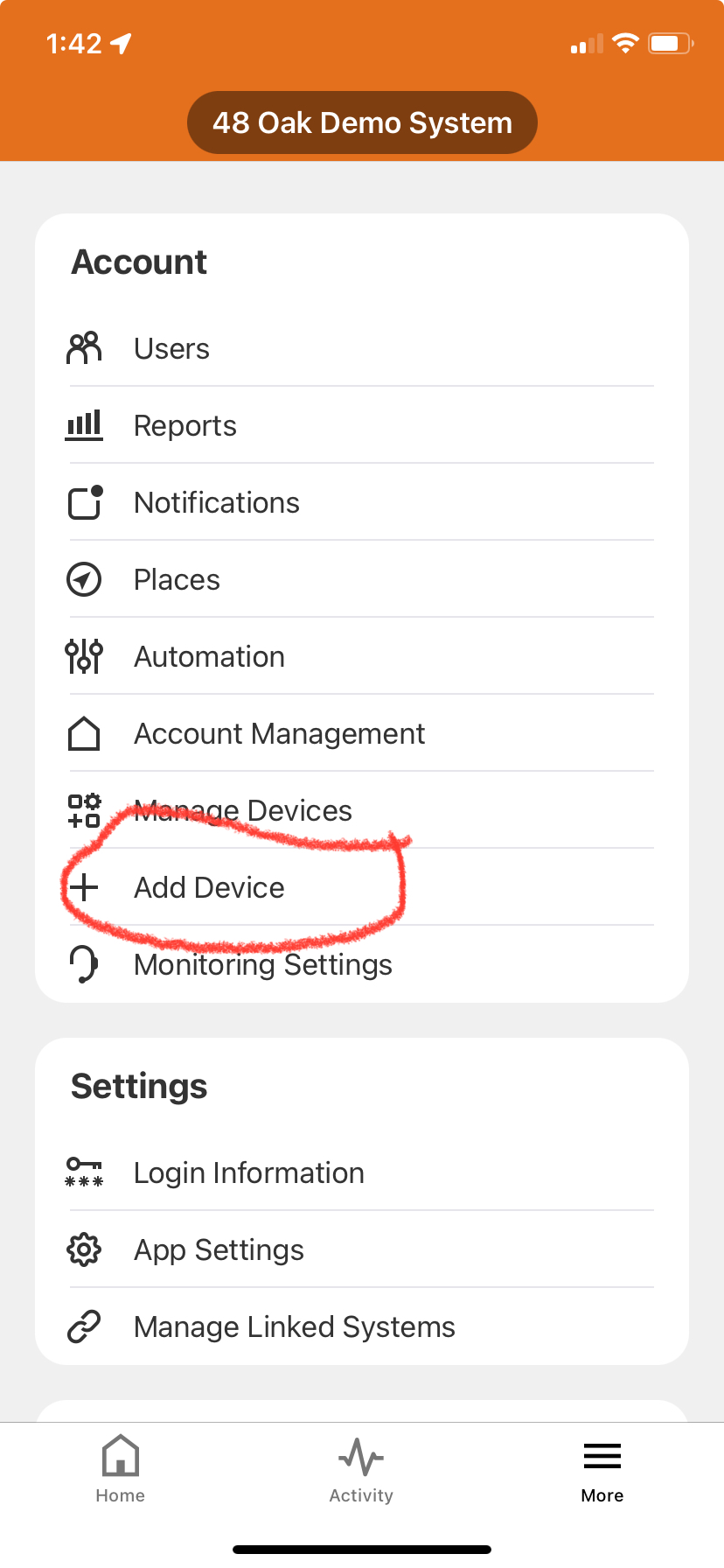
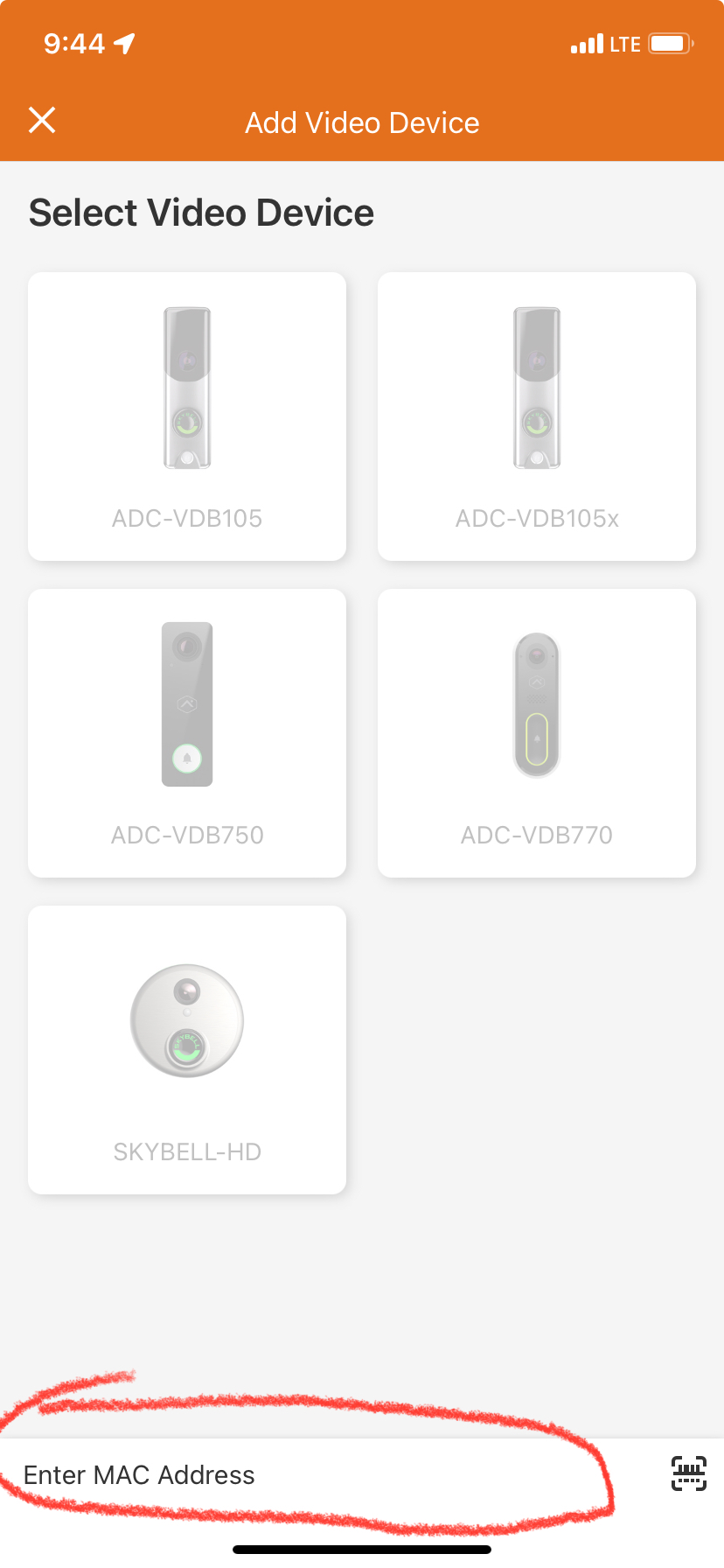
2. If your doorbell is already connected to the WIFI network skip to step 3. Otherwise, enter the MAC Address of the doorbell camera at the bottom menu then click "search". Your property manager should be able to provide you with this 12 digit number upon move-in. After you search, it should pull up the device if it is still connected to WIFI. Click "Install".
If device doesn't show and you have verified address, follow the instructions in THIS ARTICLE to setup the wifi connection again.
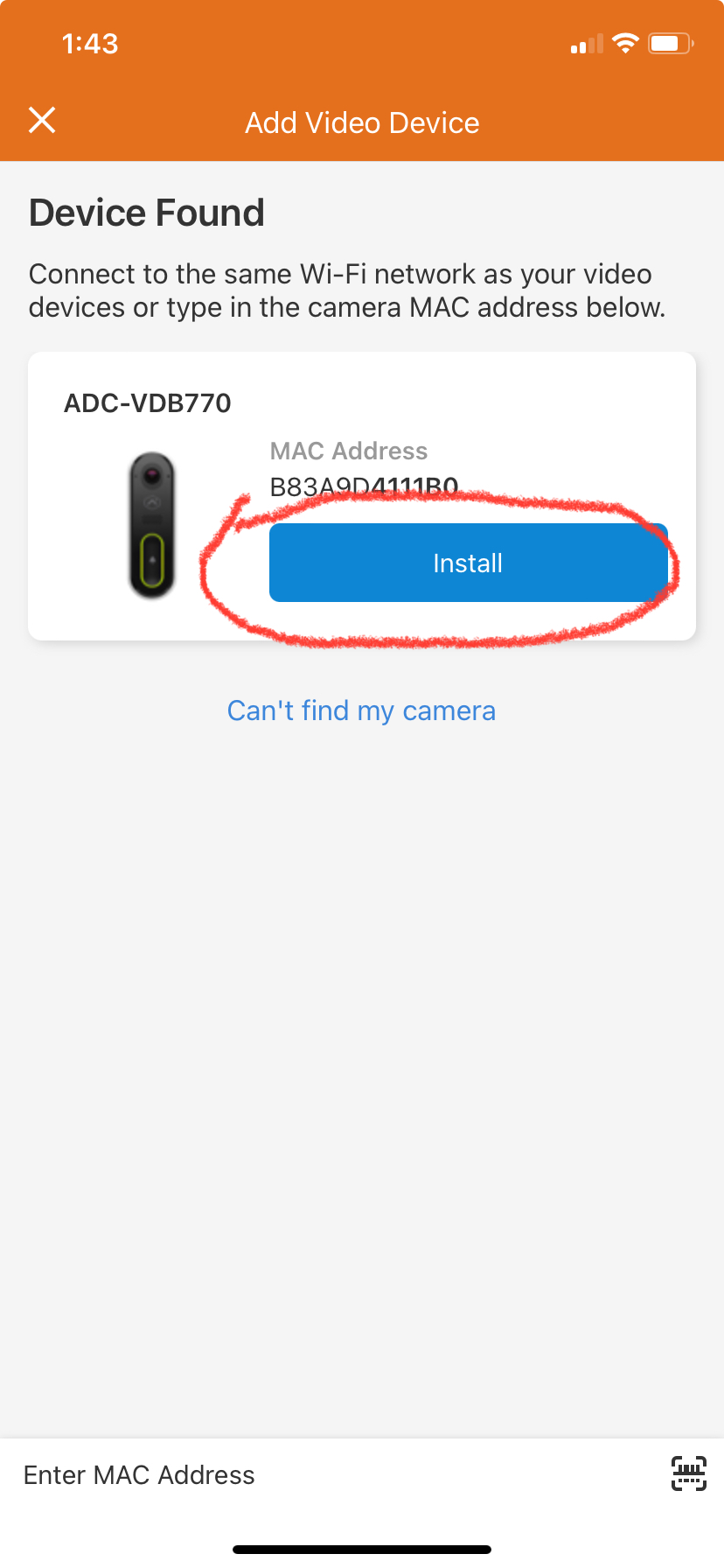
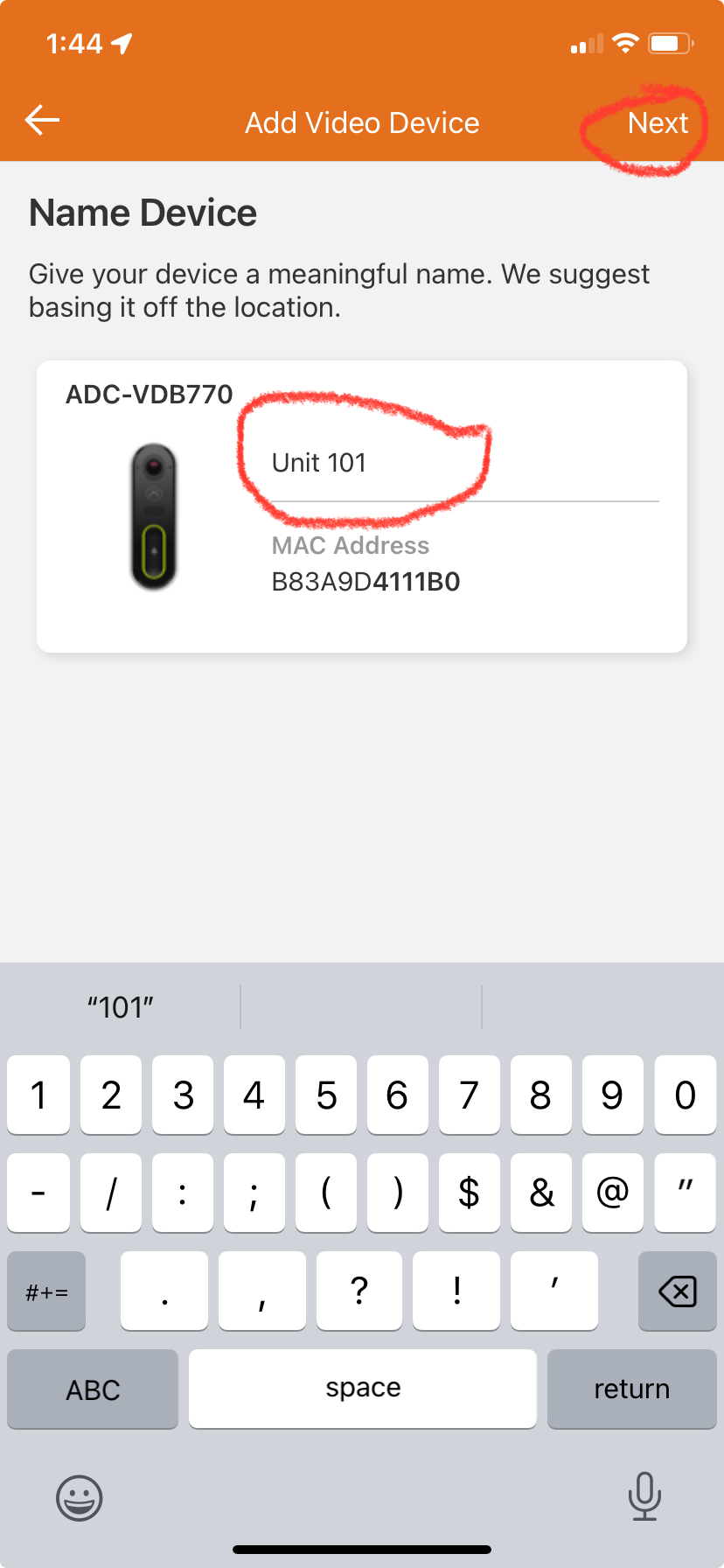
3. Click "install". Name your doorbell then click "next". Installation should begin and normally takes 5 mins based on your internet speed.

4. Follow the additional menu items to setup a door bell call alert, and person detection rules. Once you get to installation complete screen you are ready to use your device.

