This article shows how to setup the indoor doorbell chime after a move-in. This is needed if this setting is not configured properly during the resident doorbell enrollment process.
1. Login to the alarm.com App
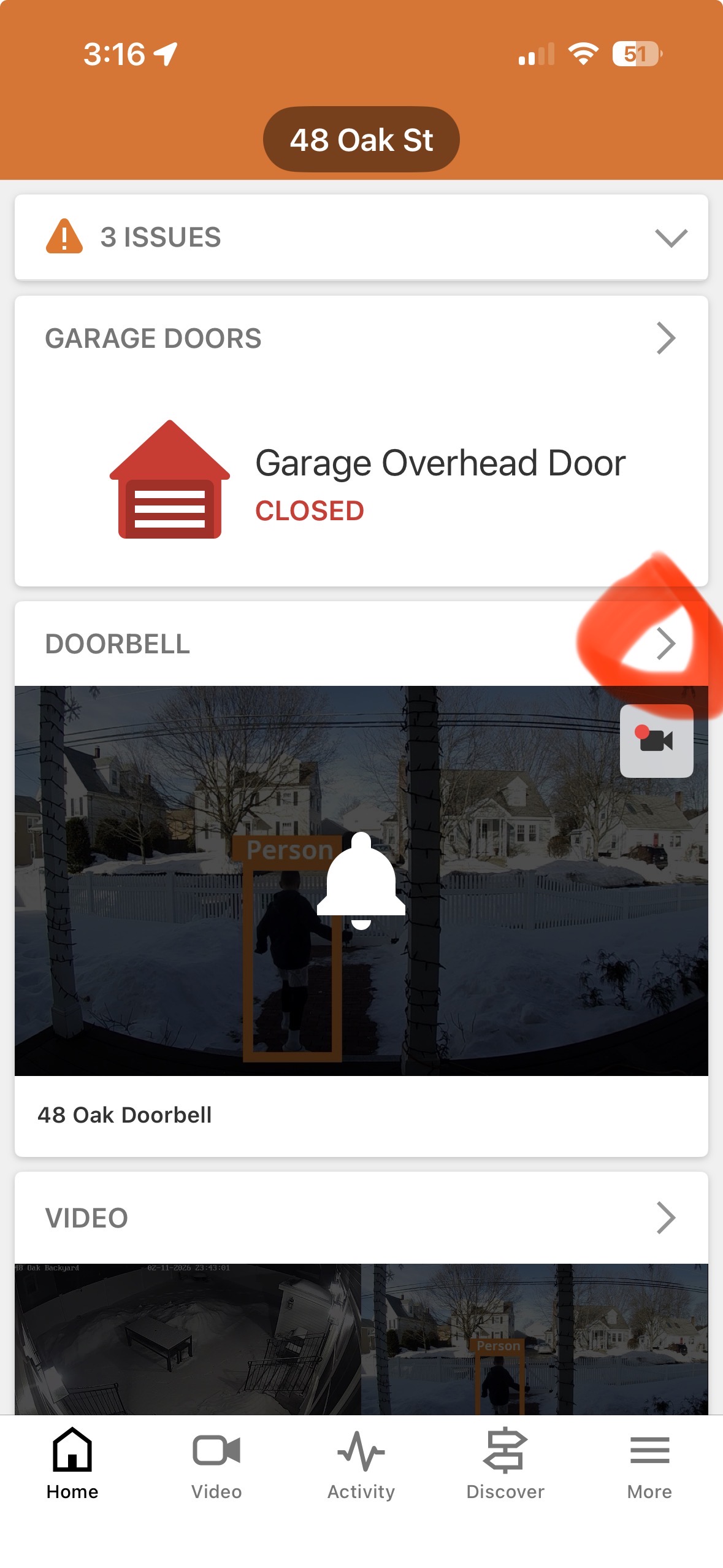
2. Click on ">" in the video doorbell card
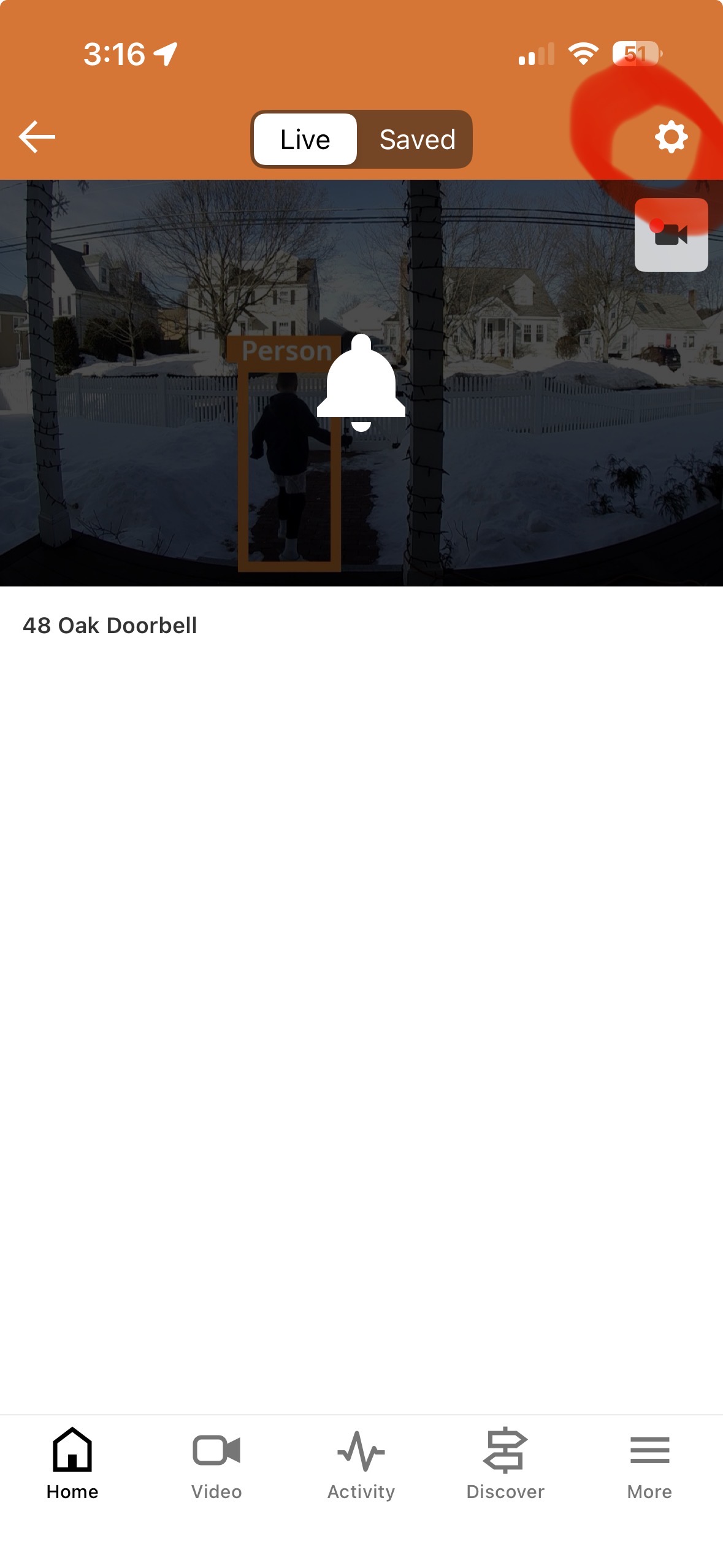
3. Click on the "wheel" icon in top right
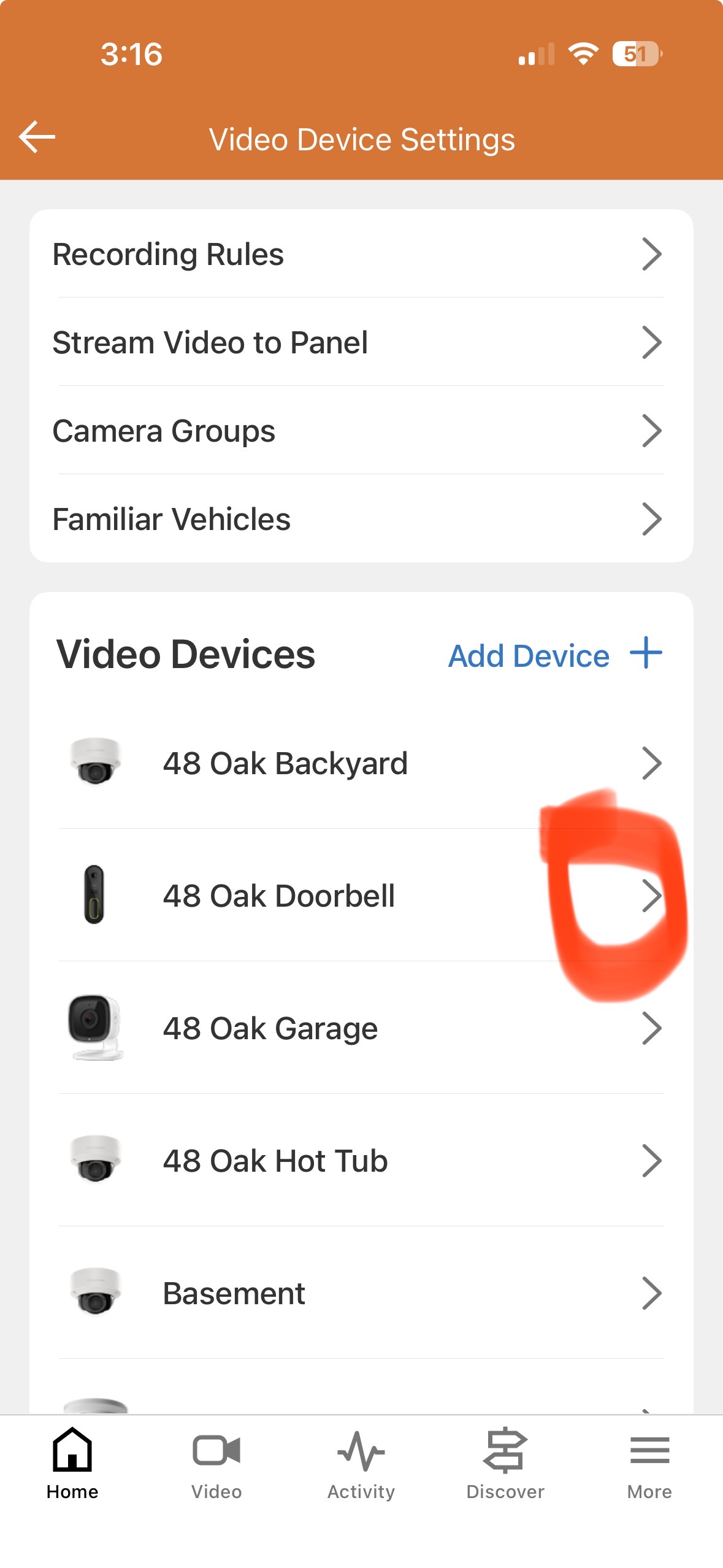
4. Select the doorbell
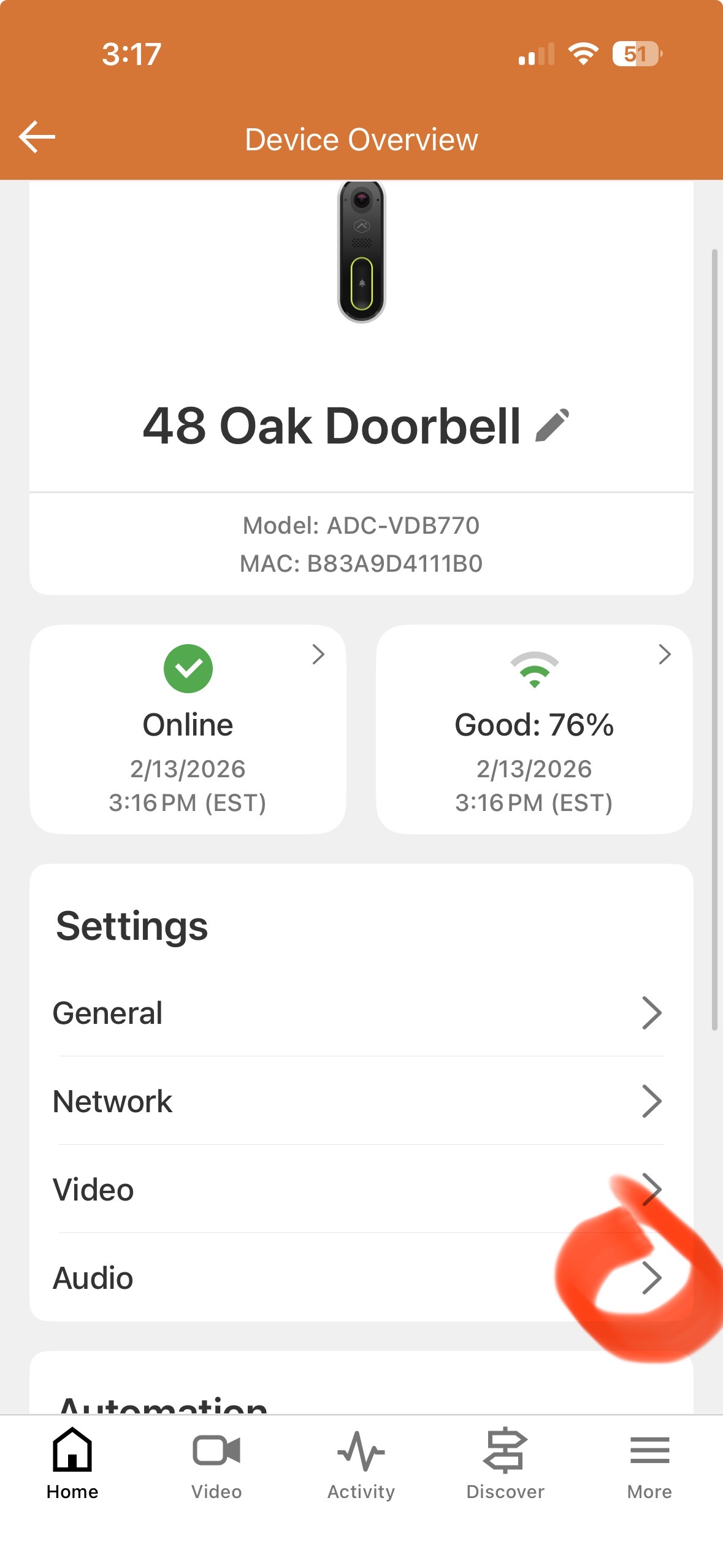
5. Select "Audio"
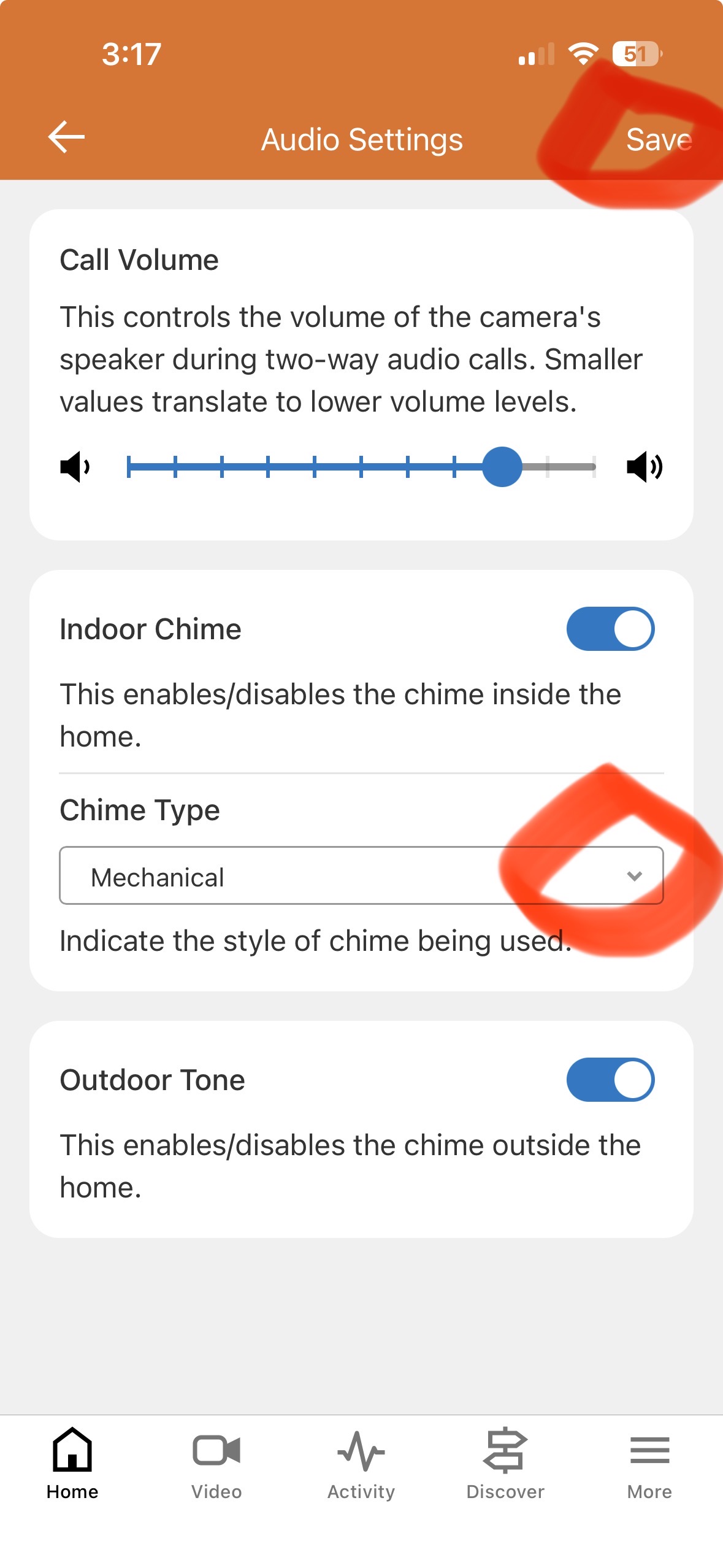
6. Change chime type to "mechanical" and click "Save" in the upper right corner.