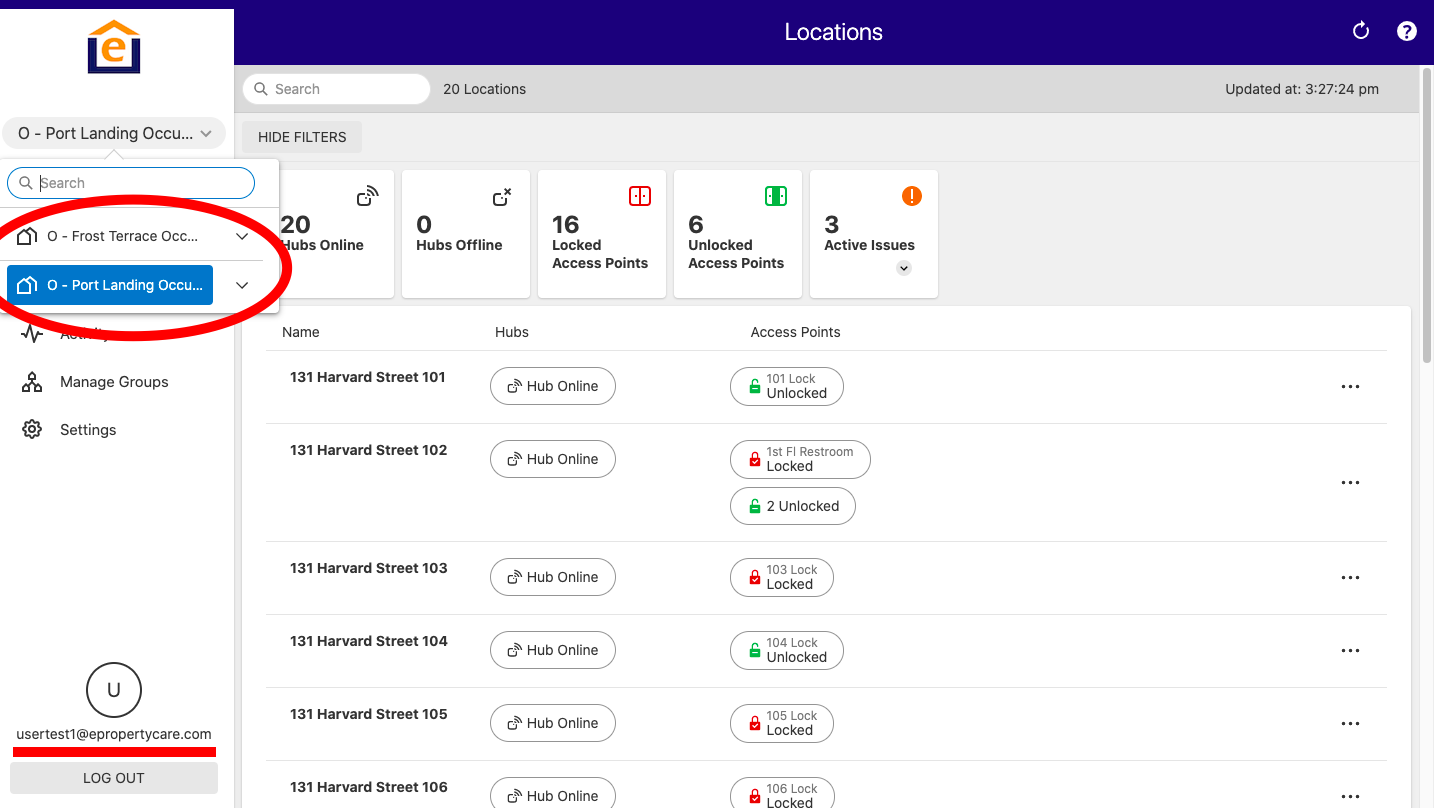
This article shows how to add an existing enterprise login to a new property parent group so you can view both groups from a single login.
What you need:
Login Name and Email address for the user you want to add (typically the login name IS the email address).
Steps:
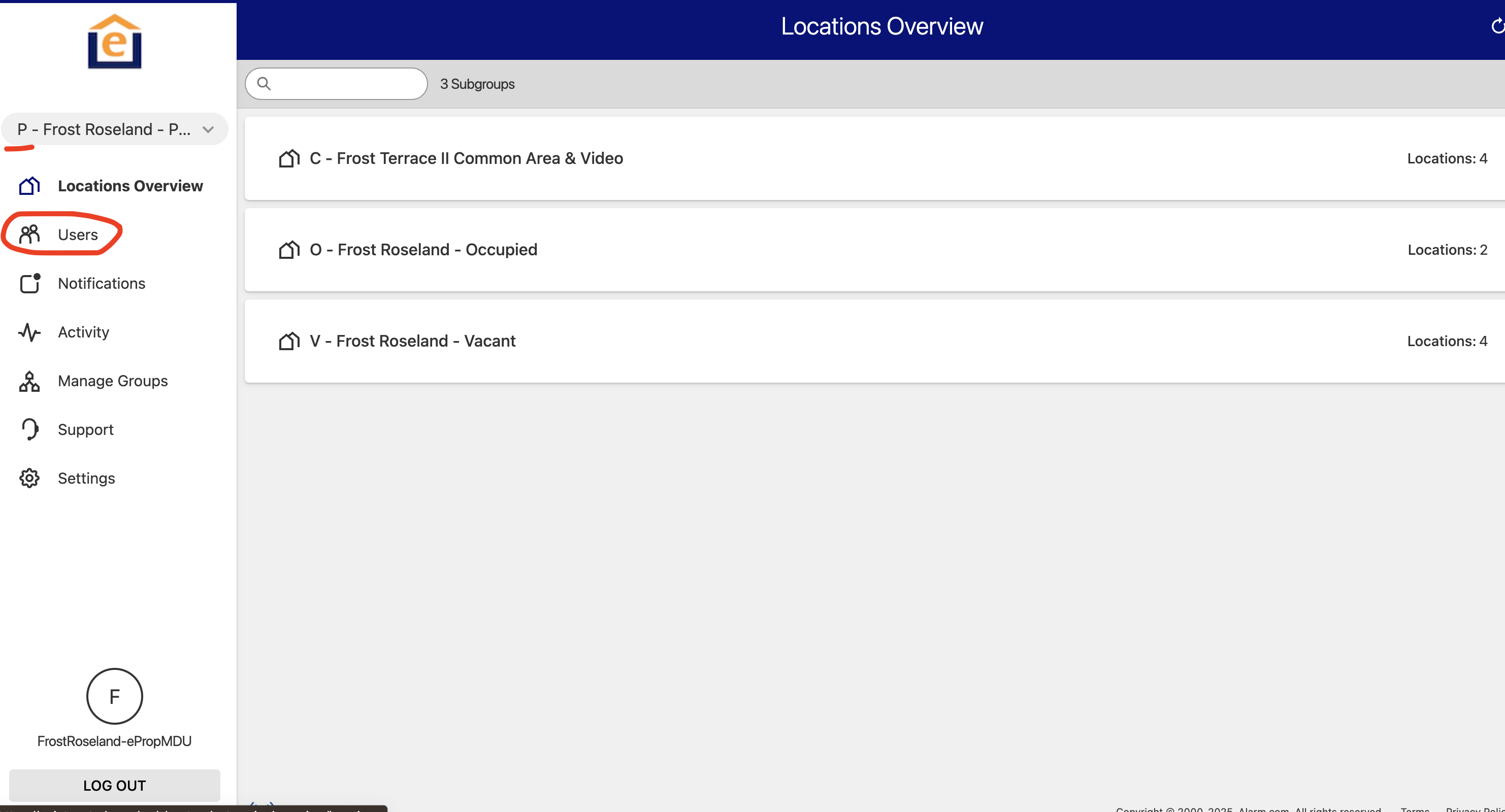
1. Login to the new account at PointCentral.com and go to the Parent Group level, then click "Users"
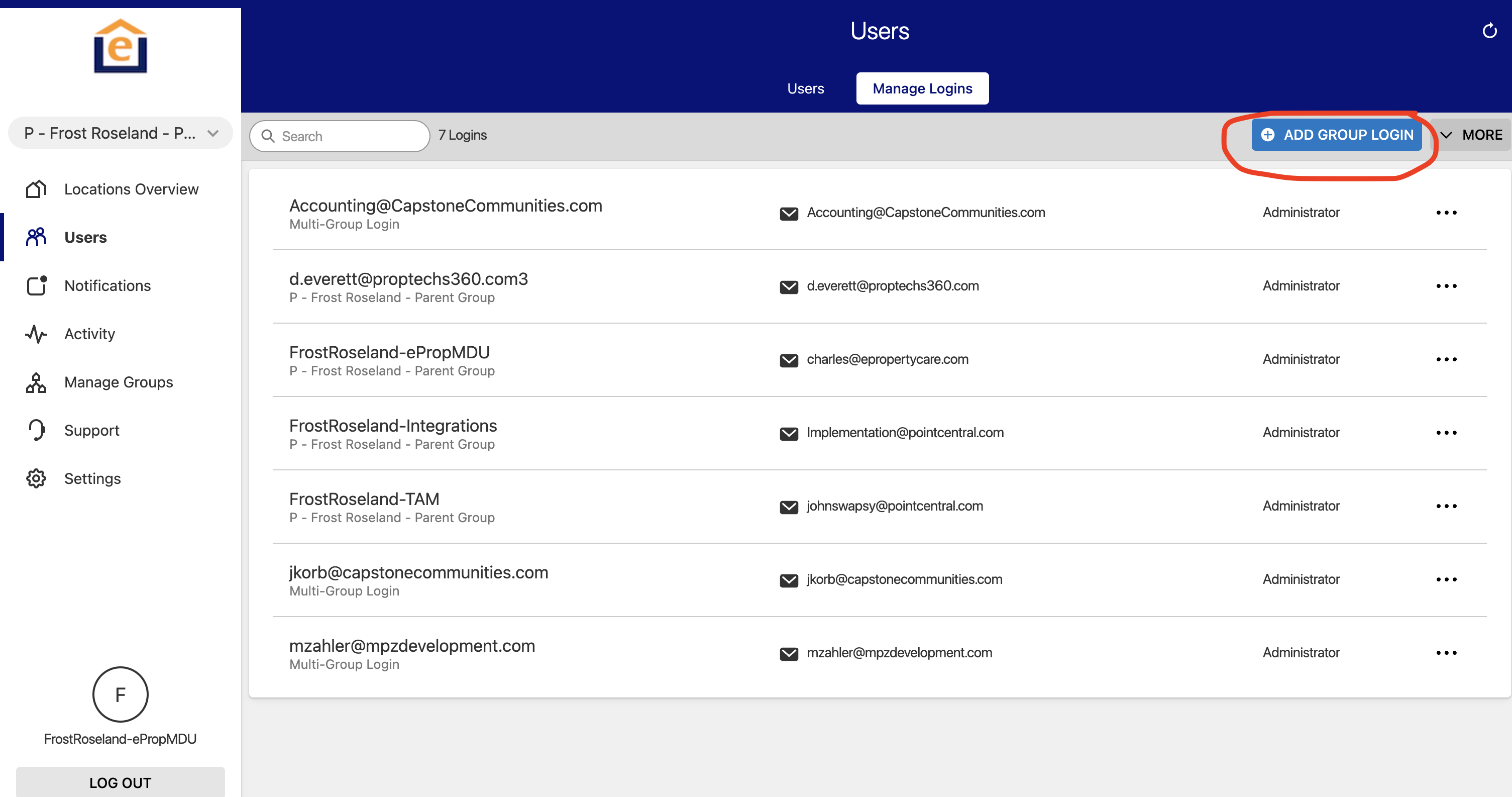
2. Go to "Manage Logins" at the top, then "Add a Group Login"
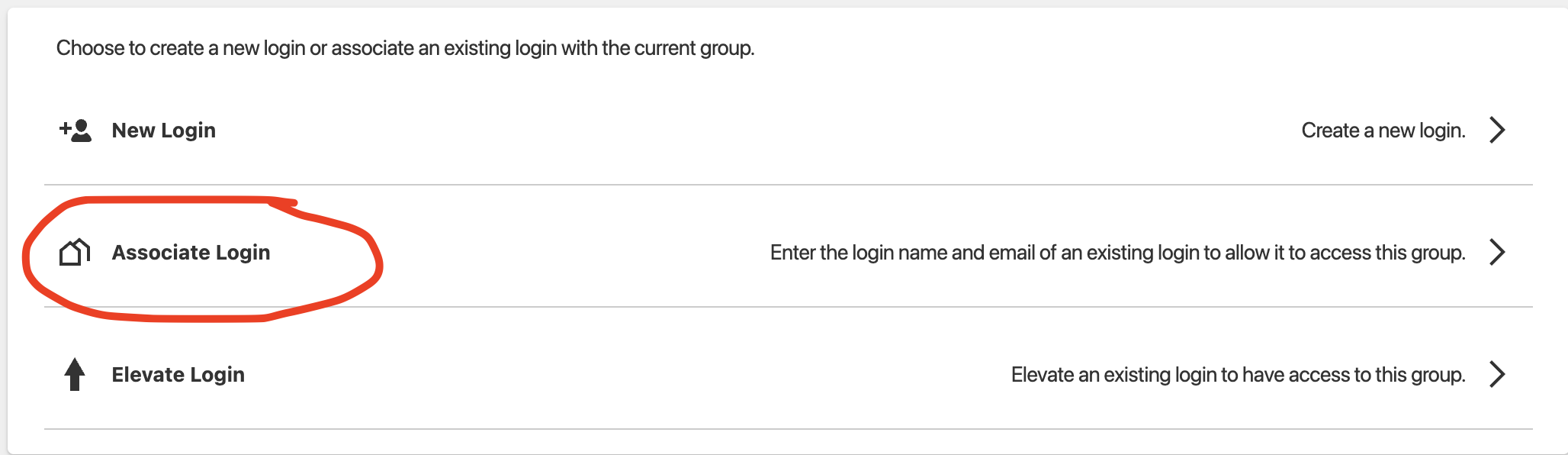
4. Choose middle option of "Associate Login" then click "next"
5. Enter the username (typically the email address) and email address associated with the login you want to add to the group, select "Administrator" at the Parent level, then click "Save"
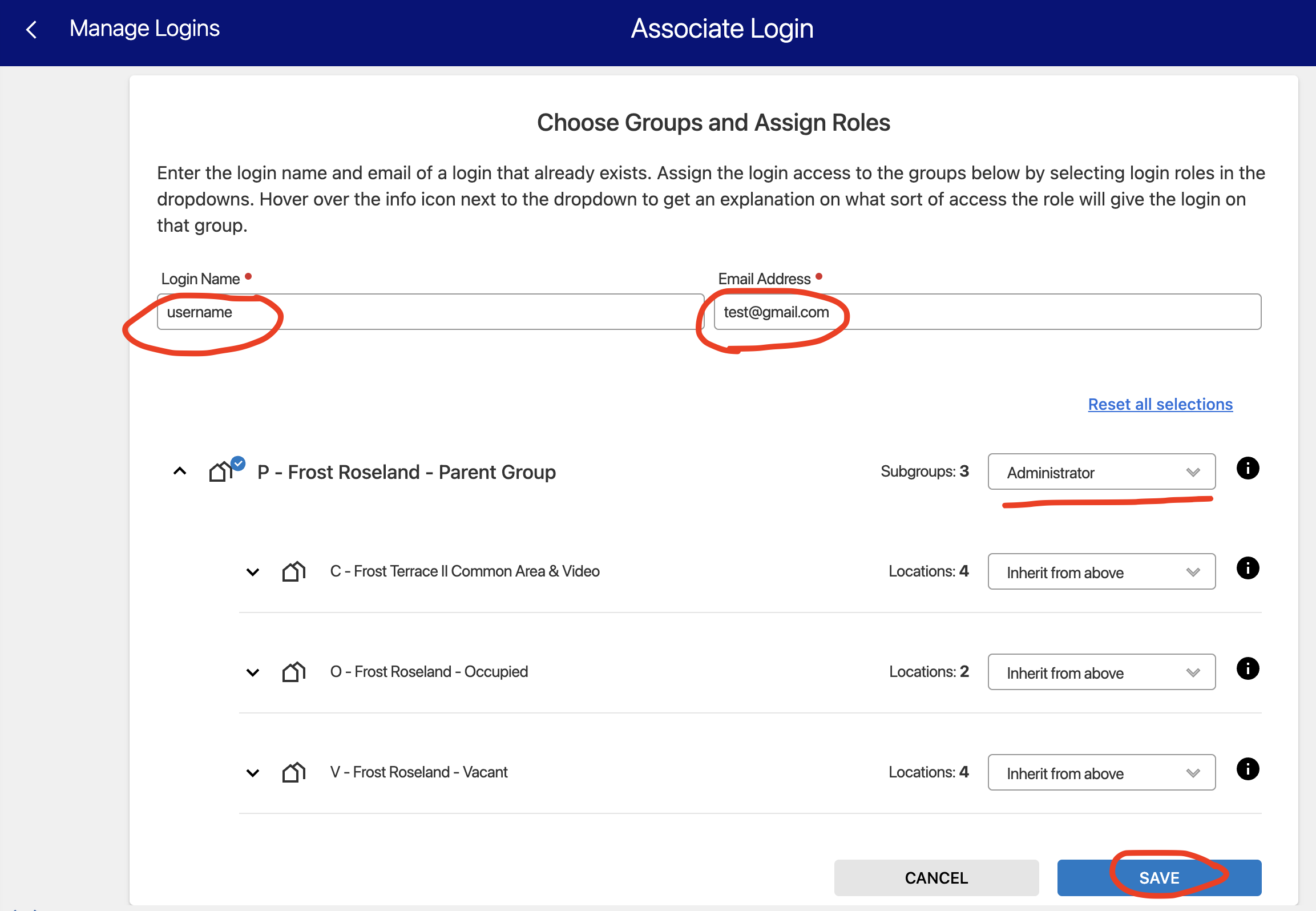
6. After login is saved, the user should log out and then log back in and they will see both groups in the left menu.